Customize Perfex PDF Templates with PDF Customizer Elements
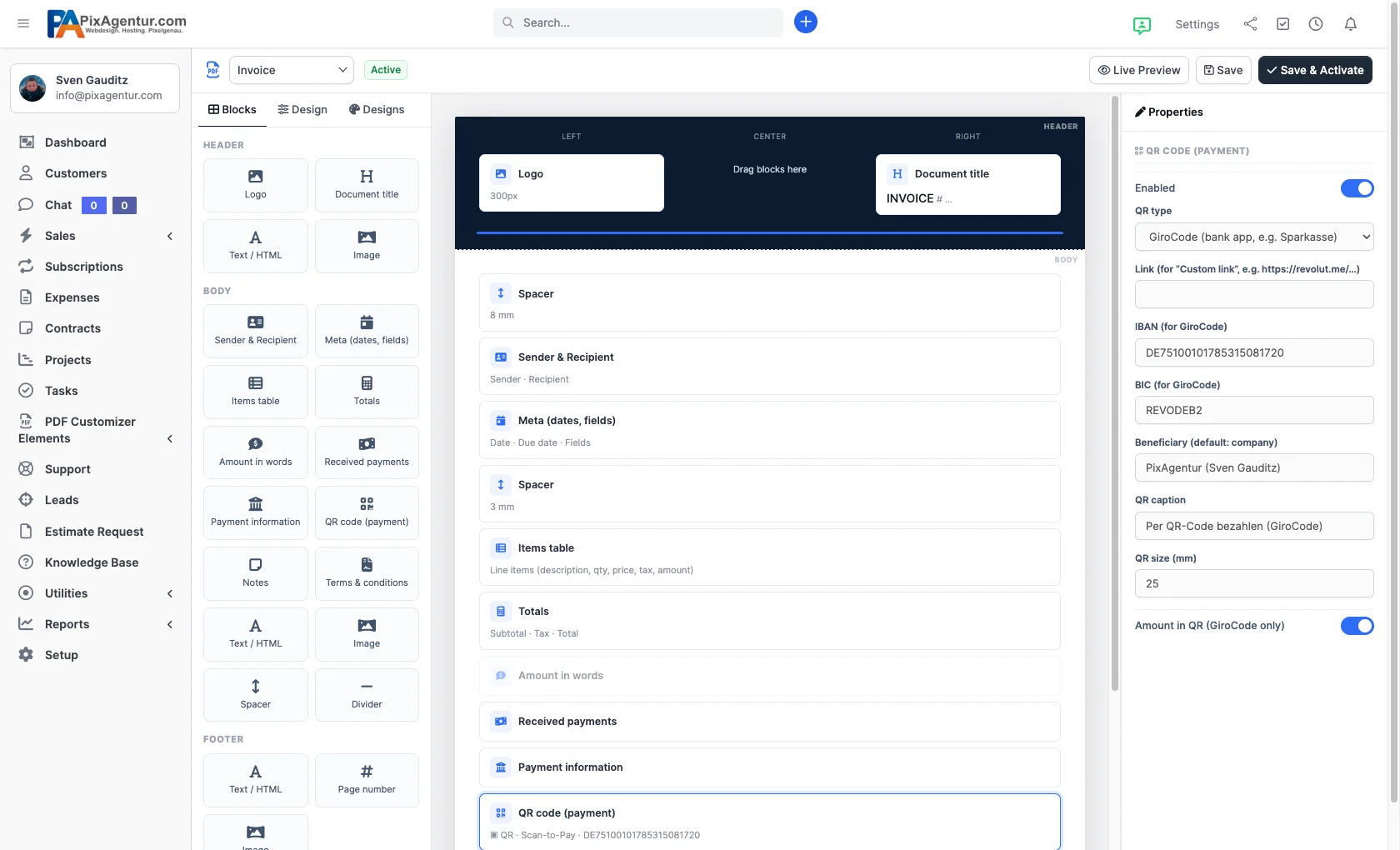
PDF Customizer Elements is a visual drag-and-drop builder for Perfex CRM that lets you design invoices, estimates and credit notes without writing a single line of code. Agencies, freelancers and small businesses brand their PDFs with a logo, per-zone colors, styled tables and scan-to-pay QR codes – and see every change instantly in a live preview on a real document.
Why isn't the default Perfex CRM PDF enough?
Perfex CRM does a lot, but its built-in PDF layout is rigid: a fixed header, almost no control over color, no blocks to reorder. Until now, matching your invoice template to your brand meant editing template files and CSS – or paying a developer to do it for you.
PDF Customizer Elements removes that friction. It replaces the rigid layout with a real editor where you compose the header, body and footer yourself. You work visually instead of in code, yet keep full control over every block.
How do I customize Perfex invoice templates without code?
You drag blocks into three zones – header, body and footer – click a block to edit it, and reorder by dragging. Available blocks include logo, document title, sender & recipient, meta fields, the line-items table, totals, amount in words, received payments, payment information, notes, terms, free text/HTML, image, page number, spacer and divider.

Inside any text block you use merge tags such as {company_name}, {number}, {total}, {amount_due} and {due_date}. The template stays dynamic and fills itself with the right values for each document.
Good to know: activating the module changes nothing about your PDFs at first. Your new layout only goes live once you pick a design yourself and click “Save & Activate”. Live documents are never touched without your approval.
16 ready-made themes for on-brand Perfex PDFs
You don't start from a blank page. PDF Customizer Elements ships with 16 ready-made themes – Midnight, Azure, Coral, Forest, Emerald Gold, Royal Purple, Ocean, Graphite, Sunset, Teal and more. One click applies the full look while your content – logo, IBAN, texts – stays exactly where it is.
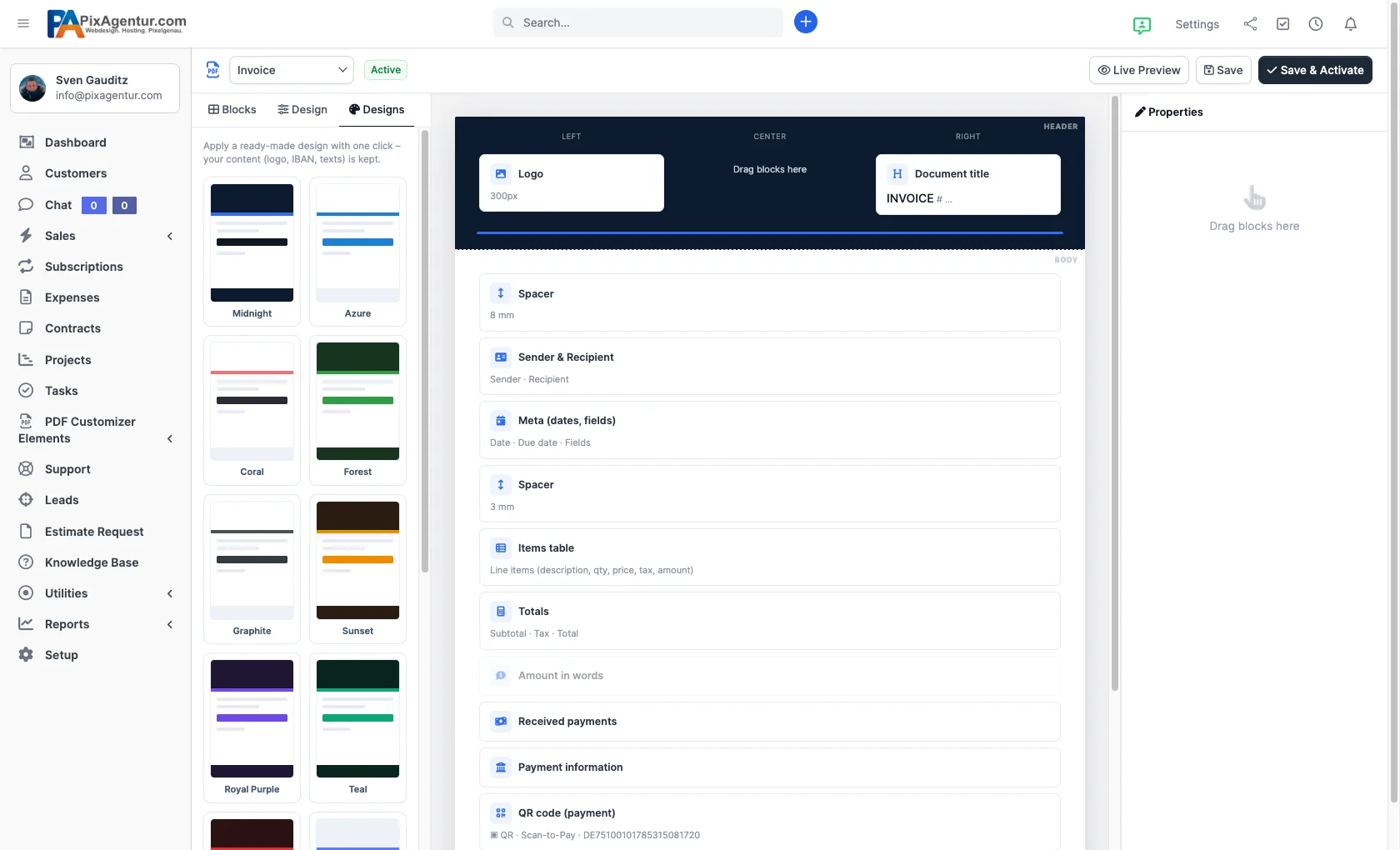
From there you fine-tune the details: colors and backgrounds per zone, your own PDF logo (for example a white logo on a dark header), and full table styling with header color, zebra rows, a highlighted totals row and an accent for the amount due. For status stamps you add watermarks like “PAID” or “DRAFT” with adjustable opacity, coverage and angle.
GiroCode & QR codes: let customers pay by banking app
A standout feature for European invoicing is the scan-to-pay QR code. Embed a GiroCode (EPC/SEPA) in the PDF and your customer scans it with their banking app – the transfer is pre-filled with IBAN, BIC, beneficiary and amount. You can also drop in an online invoice link or your own payment link instead.
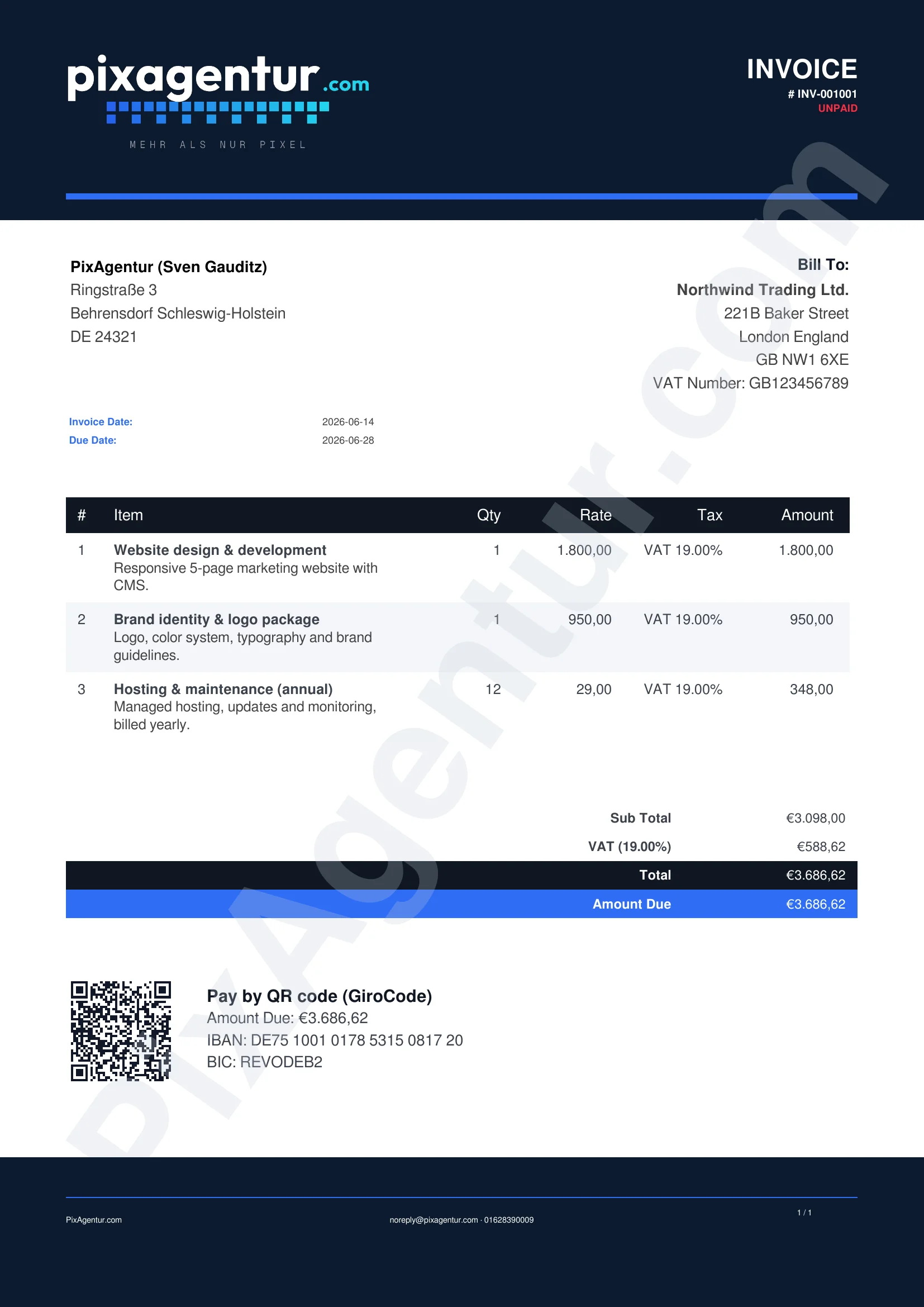
Less friction at the payment step almost always means faster settlement, so the QR code is more than decoration: it actively lowers the barrier to getting paid.
Perfex default vs. with PDF Customizer Elements
| Feature | Perfex default | With PDF Customizer Elements |
|---|---|---|
| Changing the layout | Edit template files & CSS | Visual drag-and-drop builder |
| Design presets | One fixed layout | 16 themes in one click |
| Per-zone colors | Very limited | Header, body, footer freely |
| Table styling | Barely adjustable | Zebra, totals accent, amount due |
| Watermarks | Not available | Text, opacity, angle adjustable |
| Payment QR code | Not included | GiroCode, invoice or payment link |
| Preview | Re-generate the PDF | Live preview on a real document |
Which documents does the module support?
Invoices, estimates and credit notes – and each document type gets its own design. Your estimate can look different from your invoice without maintaining duplicate templates.
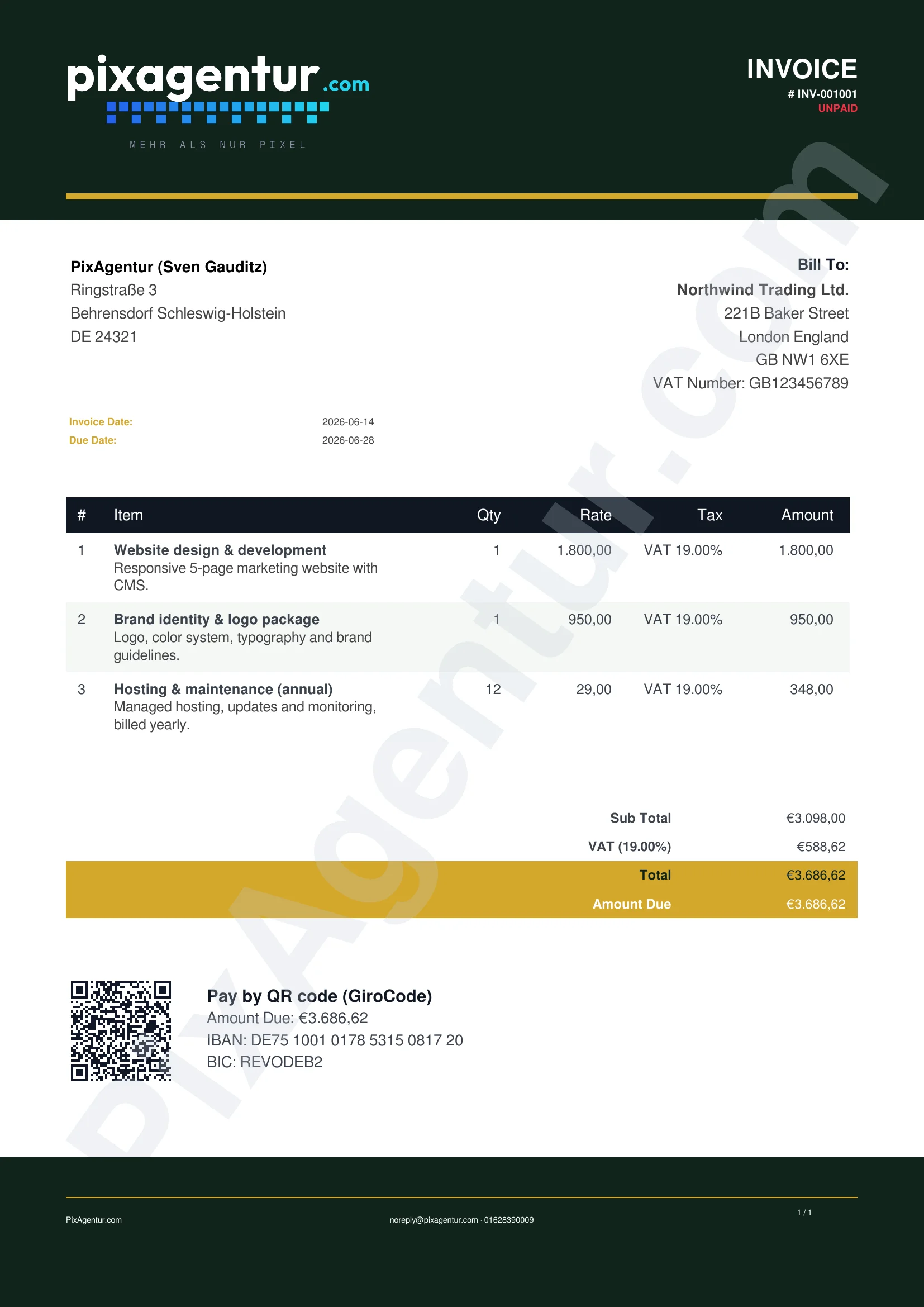
English and German are included and fully translatable – the PDF automatically follows the language of your Perfex installation.
What does PDF Customizer Elements cost and what do I need?
The module starts at €69 (Regular license); the Extended license for wider use is €199. Both include 12 months of free updates and 6 months of support. Requirements are Perfex CRM 3.0 or newer and PHP 7.4+ (tested up to 8.3). It uses the Perfex PDF engine – no third-party services and no paid libraries.
You receive your license key immediately after purchase, and the built-in updater keeps the module current. Every package passes a server-side malware scan before delivery, and payment runs securely through Stripe. Installation and licensing details are in the help center.
The best way to judge it is to try it. In our live demo you can test PDF Customizer Elements inside a real Perfex installation. The demo resets every 30 minutes (login: demo / demo123). Browse more extensions in the module catalog.
Frequently asked questions
Do I need to know how to code?
No. The entire layout is built visually with drag-and-drop, and merge tags are inserted with a click. You never touch template files or CSS.
Will the module change my existing PDFs right away?
No. After activation everything stays as it was until you pick a design yourself and click “Save & Activate”.
Does the GiroCode work with banking apps?
Yes. The GiroCode follows the EPC/SEPA standard and pre-fills IBAN, BIC, beneficiary and amount in common banking apps.
Which document types can I design?
Invoices, estimates and credit notes – each with its own design.
Which Perfex and PHP versions do I need?
Perfex CRM 3.0 or newer and PHP 7.4+ (tested up to 8.3). No third-party services are required.
What do I get with my purchase?
The installable module, English documentation, changelog & license, 12 months of updates and 6 months of support – plus an instant license key and auto-update.
Ready for PDFs that actually look like your brand? Take a look at PDF Customizer Elements and try the builder yourself in the live demo. Your first branded invoice layout is ready in minutes – no developer required.