Secure File Sharing in Perfex CRM: File Sharing Pro Explained
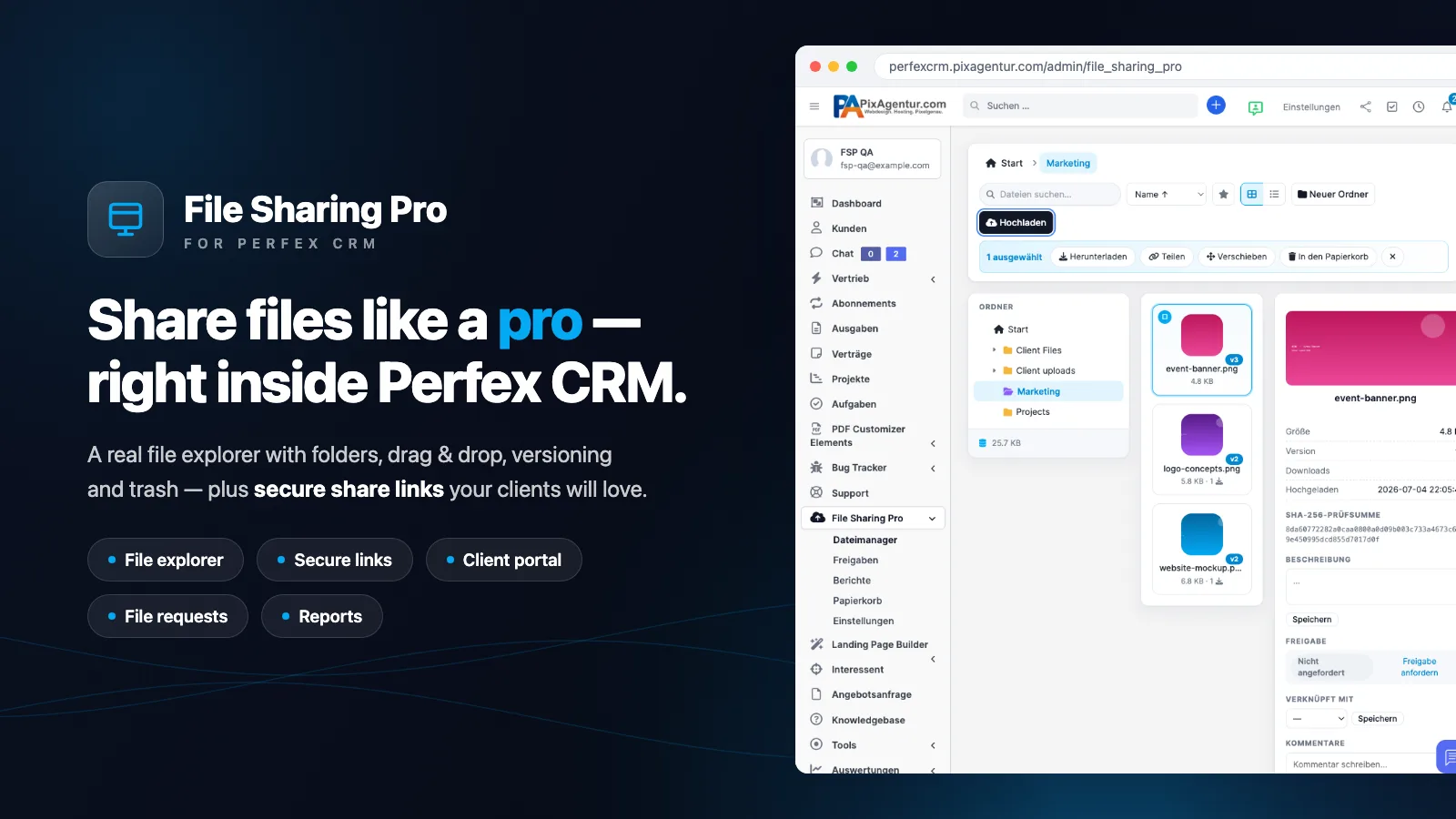
File Sharing Pro is a Perfex CRM module that manages and securely shares files right inside your CRM – with a real file explorer, share links that carry expiry dates and passwords, and a client portal. It is built for agencies, freelancers and small businesses that exchange documents, designs and large files with clients without running Dropbox, WeTransfer or a separate portal.
If you use Perfex, the underlying problem is familiar: client files end up as loose e-mail attachments, in shared cloud folders, or in a portal that knows nothing about your projects and invoices. File Sharing Pro closes exactly that gap. Everything runs in your own installation, on your domain, under your permission rules.
How do I share files securely in Perfex CRM?
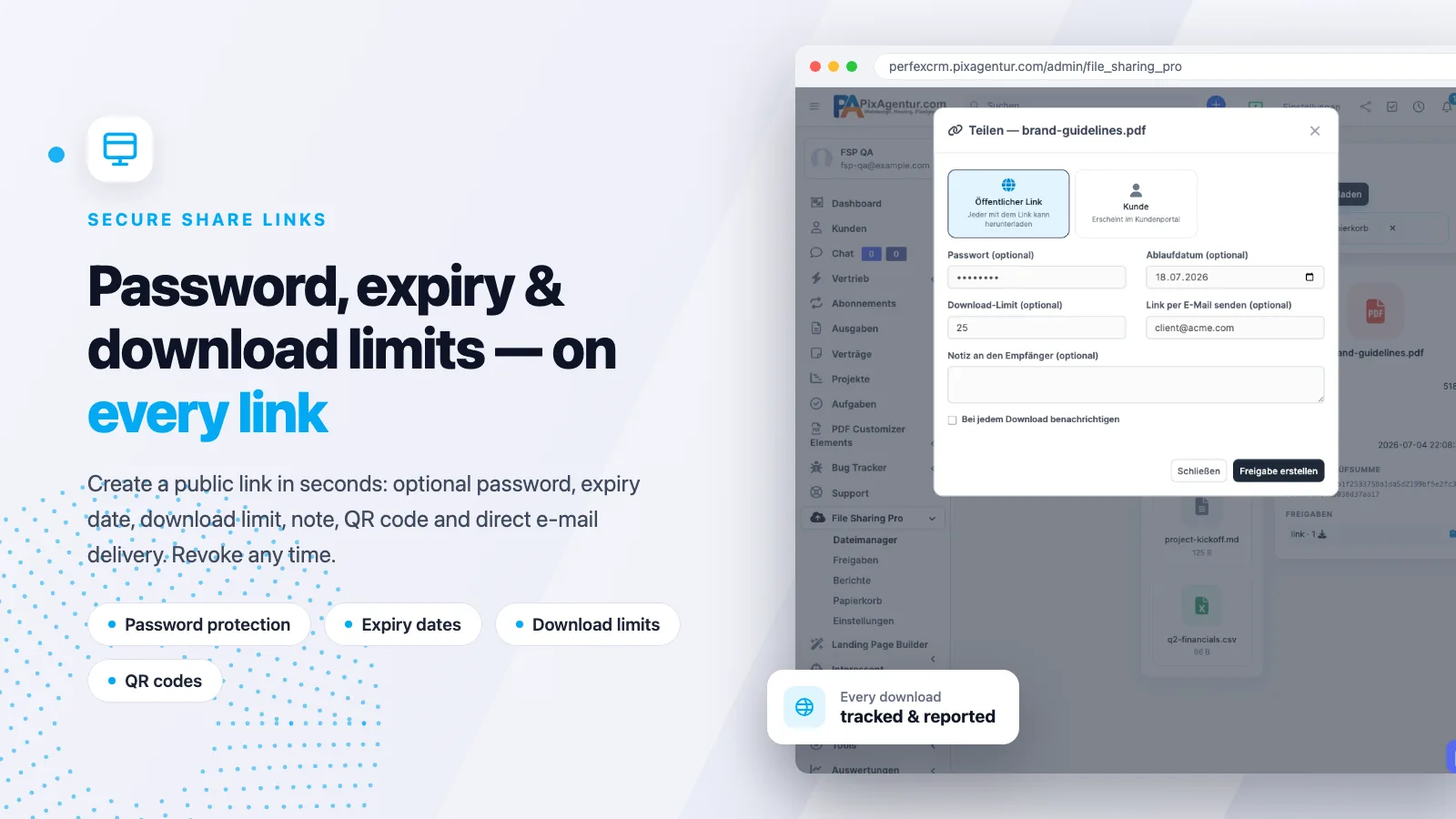
In short: open the file explorer, pick a file or folder, and create a share link – optionally with a password, expiry date and download limit. File Sharing Pro offers three share types, each solving a different real-world case:
- Public link – anyone with the link can download. Optionally protected by password, expiry date, download limit, note and QR code, and delivered by e-mail to several recipients.
- Client share – appears in the customer portal, visible only to the assigned client.
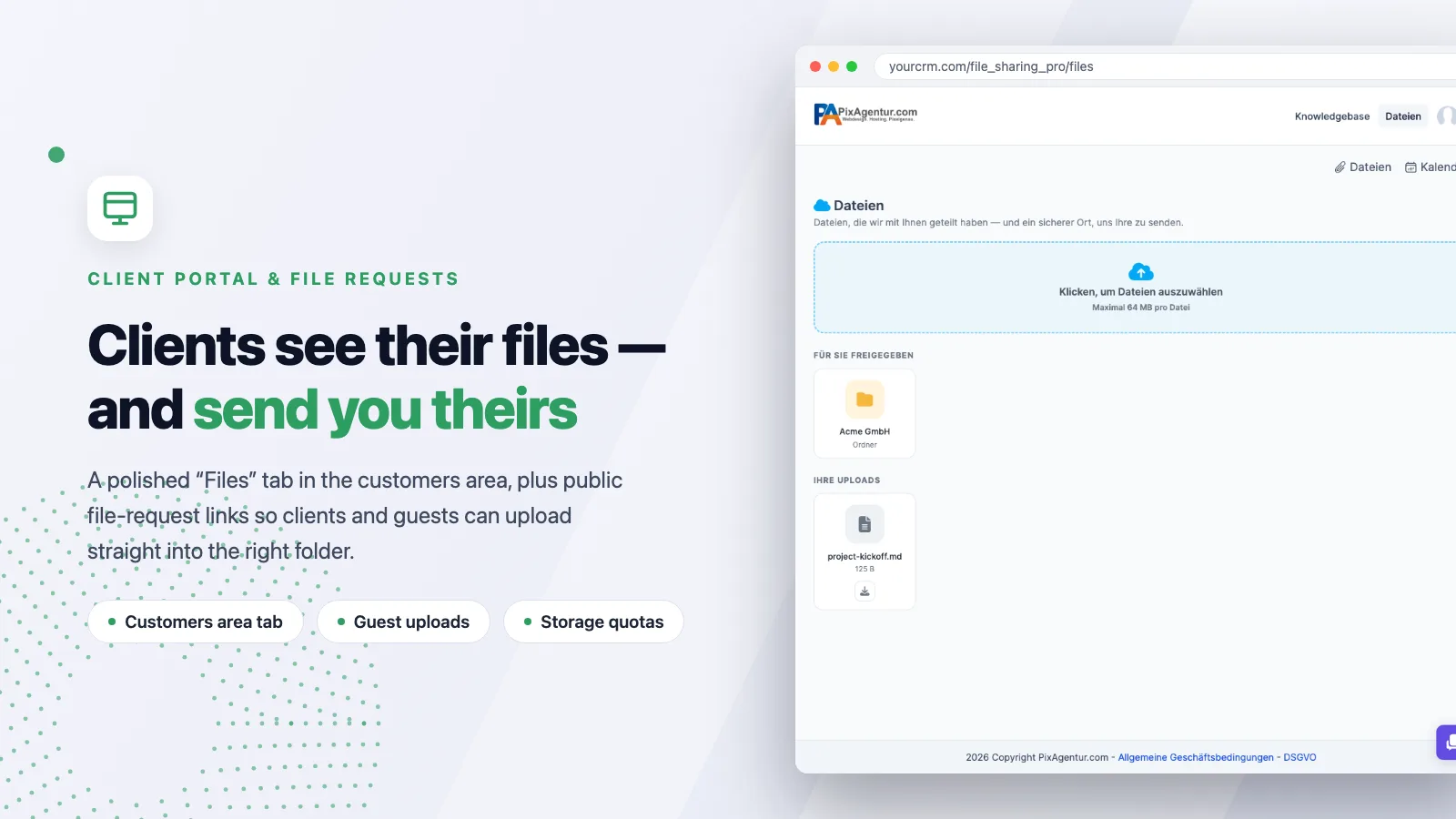
- File request – a public upload link that lets clients and guests send you files straight into the right folder, with no account needed.
On top of that you get bundle links (several files behind one URL), the ability to extend an expiry later, resend links, per-link live statistics and one-click revoke. One detail people often miss: without a valid license every public link goes dark – your content stays protected.
What can the file explorer do?
At the core sits a full file manager inside the Perfex admin area – not just a list of attachments. You get a coloured folder tree, grid and list views, drag & drop multi-upload with a progress bar, multi-select (Ctrl/Shift/Ctrl+A), a right-click context menu, drag-to-move, search, sorting and favourites. Images render as real preview tiles with automatic thumbnails, and a lightbox previews images, PDF, video, audio and text.
Each file's details panel shows the SHA-256 checksum, description, the complete version history and every share of that file at a glance. Any selection can be downloaded as a ZIP – handy when a client needs several assets at once.
Can clients see their files – and send you some?
Yes. Your clients get a polished “Files” tab in the customers area: browse shared files, download them (including a ZIP of a selection) and upload their own files. Uploads are quota-guarded and land in the right client folder automatically. File comments connect your team and the client right on the file, and approvals give you binding sign-offs: the client or guest clicks Approve or Reject (with a note), and you are notified in-app and by e-mail. Files can be linked to a customer, project, task or invoice – with file tabs on the customer profile and inside projects.
Perfex standard vs. with File Sharing Pro
| Task | Perfex standard | With File Sharing Pro |
|---|---|---|
| Manage files | Attachments per record | Real file explorer with folders, versions & trash |
| Share externally | Dropbox/WeTransfer needed | Share link with password, expiry & download limit |
| Client uploads | Barely supported | File request & portal upload into the right folder |
| Sign-offs | Tracked by e-mail | Approval flow with notifications |
| Traceability | None | Access log with IP, time & action |
What reporting and automation is included?
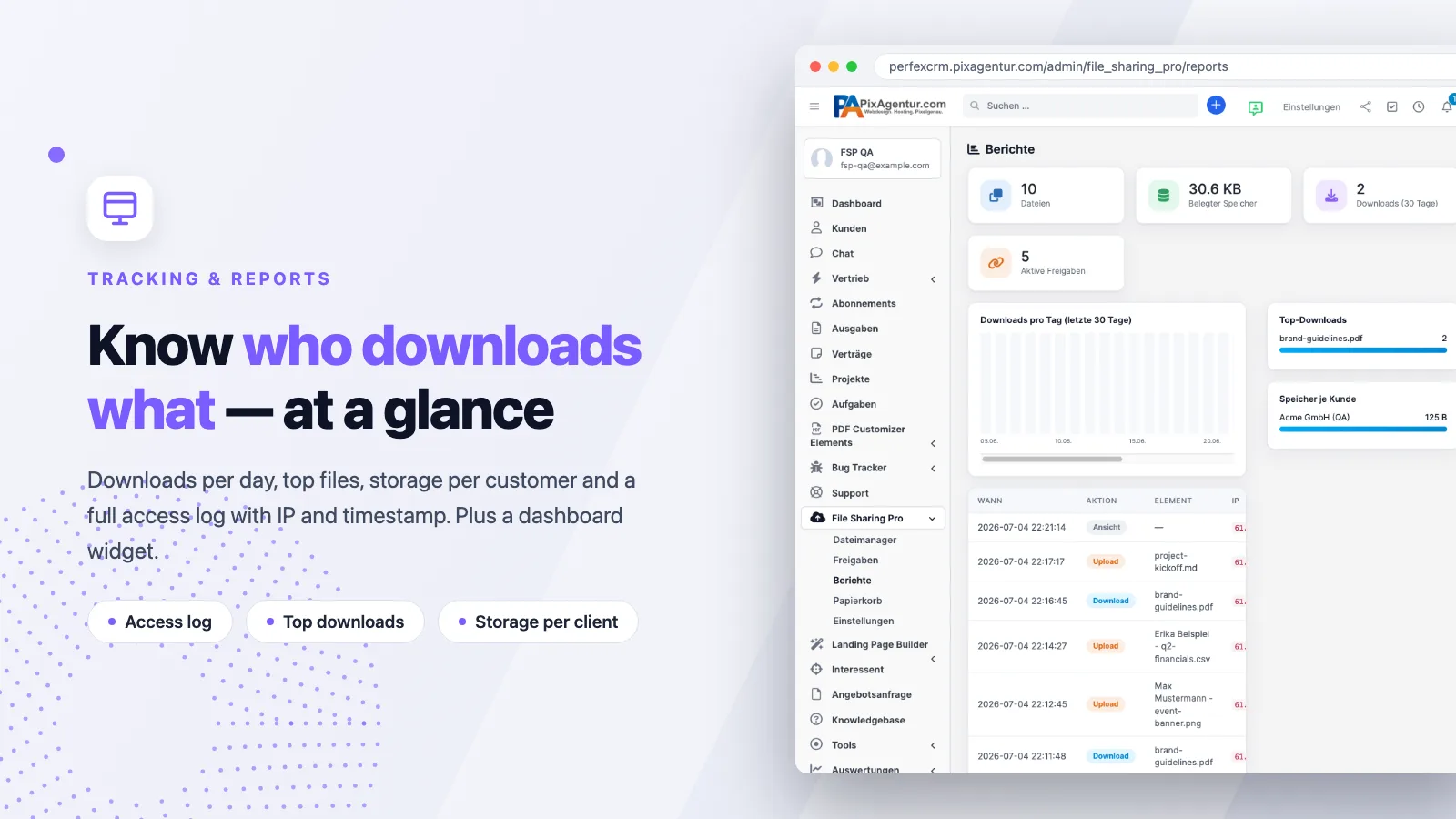
File Sharing Pro shows downloads per day, top files, storage per customer and a full access log with IP, timestamp and action – plus a dashboard widget. A trash with restore and “deleted by”, file versioning, storage quotas (global and per client) and a daily housekeeping cron keep everything tidy: the cron revokes expired links, empties the trash after your retention period and removes orphaned files. An optional weekly activity digest arrives by e-mail.
Is it secure enough for sensitive client data?
Security is built in, not an add-on. Files live outside web reach (random names plus .htaccess), and delivery only ever runs through permission-checked controllers. Add to that an extension whitelist, CSRF protection on all public forms, strict client isolation in the portal (IDOR-safe) and 7 fine-grained staff permissions.
For higher demands, the Pro infrastructure (v1.3) delivers: chunked uploads with resume for large files up to 10 GB (5 MB pieces, exact restart after an interruption), encryption at rest (XChaCha20-Poly1305/libsodium, streamed), storage drivers local or FTP/FTPS with a transparent local fallback, team folders (folders restricted to selected staff) and a REST API v1 with API keys for Zapier, scripts and backups. Optional: office online preview, watermarks on image previews and EXIF stripping for JPEG uploads. The public roadmap shows what we are working on next.
What does File Sharing Pro cost and what are the requirements?
File Sharing Pro starts at 115 € (Regular license); the Extended license is 298 € and covers a higher domain tier. Either way you get 12 months of updates and 6 months of support, a license key with auto-update inside the CRM, and a server-side malware scan of the package. Payment runs securely through Stripe and your license key is issued instantly.
Requirements: Perfex CRM ≥ 3.0 and PHP 7.4+ / 8.x. Installation takes about 3 minutes – upload the ZIP, activate, enter your license key. The module is fully bilingual (English and German, 246 strings). You will find details on installation and licensing in the help center.
Frequently asked questions
Do I still need Dropbox or WeTransfer?
No. File Sharing Pro replaces both for client exchange: the file explorer, share links and client uploads all run inside your own Perfex installation, on your domain.
What happens to shared links if the license expires?
Without a valid license all public links go offline and downloads are blocked. Your content stays protected instead of remaining freely reachable.
Can clients send me files?
Yes. Via a file request (a public upload link, no account needed) or directly in the client portal tab. Uploads are quota-guarded and land in the right client folder automatically.
How large can files be?
Up to 10 GB with chunked, resumable uploads. Large files travel in 5 MB pieces and continue exactly where an interruption stopped them.
Is there an interface to other tools?
Yes, a REST API v1 with API keys – usable for Zapier, your own scripts and automated backups.
Can I try it first?
Yes. Our live demo lets you test the file explorer, share links and client portal on a real Perfex installation (it resets every 30 minutes).
Start sharing files securely in Perfex
File Sharing Pro turns Perfex CRM into a proper file hub: manage, share, collect and trace every download – without external tools. Take a look at the module on the File Sharing Pro product page, try it in the live demo, and browse the wider module catalog if you need more. Ready? Get File Sharing Pro from 115 € and set up secure file sharing in minutes.